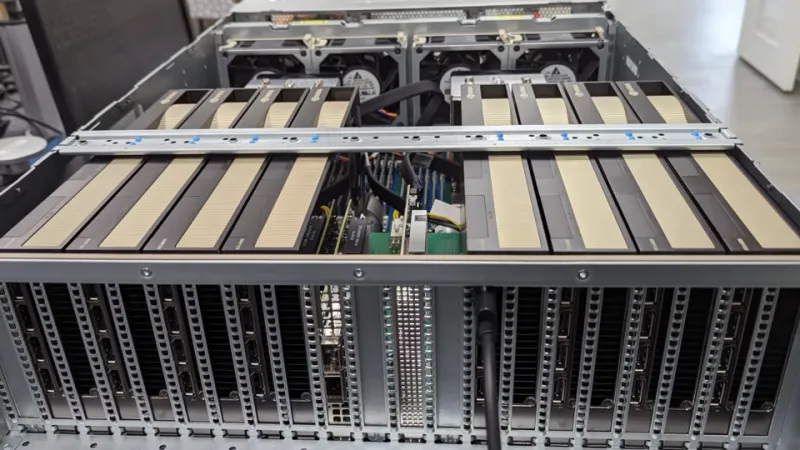
Squeezing More From Every GB: How GPU Memory Compression Can Extend Your Cluster's Productive Life
For most IT procurement teams, the conversation about GPU capacity ends at the spec sheet. VRAM figures, memory bandwidth ratings, and TDP thresholds dominate the decision matrix. What rarely enters that conversation is a feature set that GPU vendors have been quietly refining for years: hardware-level memory compression. For organizations running large language model (LLM) inference, scientific simulation, or dense data analytics workloads, enabling and tuning compression capabilities can function as a meaningful — and essentially free — capacity upgrade.
This is not a niche optimization for boutique research labs. As enterprises across the US build out AI infrastructure under tightening capital budgets, the ability to delay a $200,000-plus GPU cluster refresh by 12 to 18 months carries real financial weight. Understanding how compression works, where it delivers returns, and how to implement it responsibly is quickly becoming a core competency for infrastructure teams.
What GPU Memory Compression Actually Does
At the hardware level, modern GPUs compress data as it moves between the compute cores and the high-bandwidth memory subsystem. NVIDIA's approach, marketed under the umbrella of its Ampere and Hopper architecture documentation as lossless compute compression, operates transparently to most applications. When the GPU's memory controller detects compressible data patterns — such as zero-value regions, repeated values, or delta-encodable tensors — it stores that data in a compressed format. The effective bandwidth and apparent capacity both increase without any change to the physical memory chips.
AMD's RDNA and CDNA architectures incorporate comparable mechanisms, referred to in technical documentation as delta color compression and primitive compression, though AMD's server-class Instinct MI-series GPUs expose these features differently than consumer cards. The key distinction is that compute-oriented compression paths require explicit driver support and, in some cases, application-level awareness to reach their full potential.
The practical implication is this: two clusters with identical hardware can perform very differently depending on whether compression is properly enabled and whether the workload profile is compression-friendly.
Benchmark Reality: What the Numbers Show
Publicly available testing from independent hardware research groups and vendor white papers points to a consistent range of gains. For LLM inference workloads using FP16 or INT8 precision — the most common deployment configurations for production AI in enterprise environments — effective memory bandwidth improvements of 15 to 30 percent are achievable on NVIDIA A100 and H100 hardware when lossless compute compression is active and the model weights exhibit compressible sparsity patterns.
Translated into practical terms: a cluster that was memory-bandwidth-bound at a batch size of 32 may sustain batch sizes of 40 or higher after compression is properly configured. For teams charging inference costs back to internal business units or external customers, that throughput delta directly affects unit economics.
On AMD's Instinct MI250X and MI300X platforms, similar gains have been documented for HPC workloads involving structured sparse matrices. AMD's own published figures for the MI300X cite memory compression contributing to effective bandwidth figures that exceed the raw HBM3 specification under favorable conditions.
One important caveat: compression gains are workload-dependent. Dense, high-entropy data — such as already-compressed media files or encrypted payloads — yields little to no compression benefit. IT teams should audit their actual workload mix before projecting gains.
ROI Calculation: Deferring the Refresh
Consider a representative scenario familiar to many US enterprise IT shops. A team operates a cluster of eight NVIDIA A100 80GB SXM4 GPUs, purchased in 2022 at a fully loaded cost of approximately $280,000. By 2025, memory pressure from larger model deployments is beginning to constrain throughput, and the team is evaluating whether to expand the cluster.
If enabling and tuning compute compression yields a conservative 20 percent effective bandwidth improvement, the team gains the functional equivalent of roughly 1.5 additional GPUs worth of throughput without any new hardware. At current market rates for A100 capacity — whether purchased outright or leased through a cloud provider as a cost-comparison baseline — that represents roughly $35,000 to $50,000 in equivalent compute value. If that improvement defers a hardware expansion decision by 12 months, the team also avoids the capital depreciation cycle on new equipment for that period.
For organizations operating under capital expenditure constraints or multi-year hardware amortization schedules, this kind of deferral has measurable budget impact. Finance teams appreciate it. Procurement teams appreciate it. And it requires no new vendor contracts.
Implementation Guidance for IT Teams
Enabling GPU memory compression in a production environment is not a single-toggle operation, but it is well within the reach of a competent infrastructure team. The following steps reflect current best practices for NVIDIA-based deployments, with notes on AMD equivalents where relevant.
Verify driver and toolkit versions. NVIDIA's compute compression features require CUDA 11.2 or later and corresponding driver versions. Older driver stacks may expose the hardware capability without fully utilizing it. Audit your current driver versions across the cluster and cross-reference against NVIDIA's release notes for compression-related fixes and improvements.
Profile your workloads before and after. Use NVIDIA's Nsight Systems or the open-source nvtop utility to establish baseline memory bandwidth utilization. After enabling compression-friendly configurations, re-profile under identical load conditions. Without before-and-after data, you cannot quantify the gain or detect regressions.
Engage your ML framework. PyTorch and JAX, the two dominant frameworks in US enterprise LLM deployments, have varying levels of native compression awareness. Confirm that your model serving layer — whether that is NVIDIA's TensorRT-LLM, vLLM, or a proprietary serving stack — is compiled and configured to leverage compressed memory paths. Framework documentation and vendor support channels are the authoritative sources here.
Test for correctness, not just performance. Lossless compression should not alter numerical outputs, but hardware bugs and misconfigured driver states have caused subtle precision issues in edge cases. Run your standard regression suite against compressed and uncompressed configurations before promoting changes to production.
Document the configuration state. Compression settings can be inadvertently reset during driver updates or system reboots. Establish configuration management practices — Ansible playbooks, container image specifications, or equivalent tooling — to ensure compression settings persist across your operational lifecycle.
The Strategic Case for Paying Attention
GPU memory compression is not a silver bullet. It will not double your cluster's capacity or eliminate the eventual need for hardware investment as model sizes continue to grow. What it represents is a legitimate, underutilized lever that most IT teams are currently leaving inactive simply because it requires deliberate attention to enable correctly.
In an environment where GPU procurement lead times remain extended and capital budgets face increasing scrutiny, that lever deserves a place in every infrastructure team's optimization roadmap. The organizations that treat GPU configuration as an ongoing discipline — rather than a one-time deployment task — will consistently extract more value from the same hardware investment than those that do not.
For IT professionals evaluating their AI infrastructure posture in 2025, that discipline is no longer optional. It is competitive.